
Automated multi-channel posting
Publishes to Facebook, Instagram, LinkedIn, and X (formerly Twitter) — automatically.
You already know social media matters. Your clients are scrolling every day, forming opinions about who to trust before they ever pick up the phone. But knowing it matters and actually showing up consistently are two very different things.
Social Connector solves the consistency problem. It's an automated social media tool built directly into DeltaNET that keeps your presence active, on-brand, and working in the background—while you focus on clients.
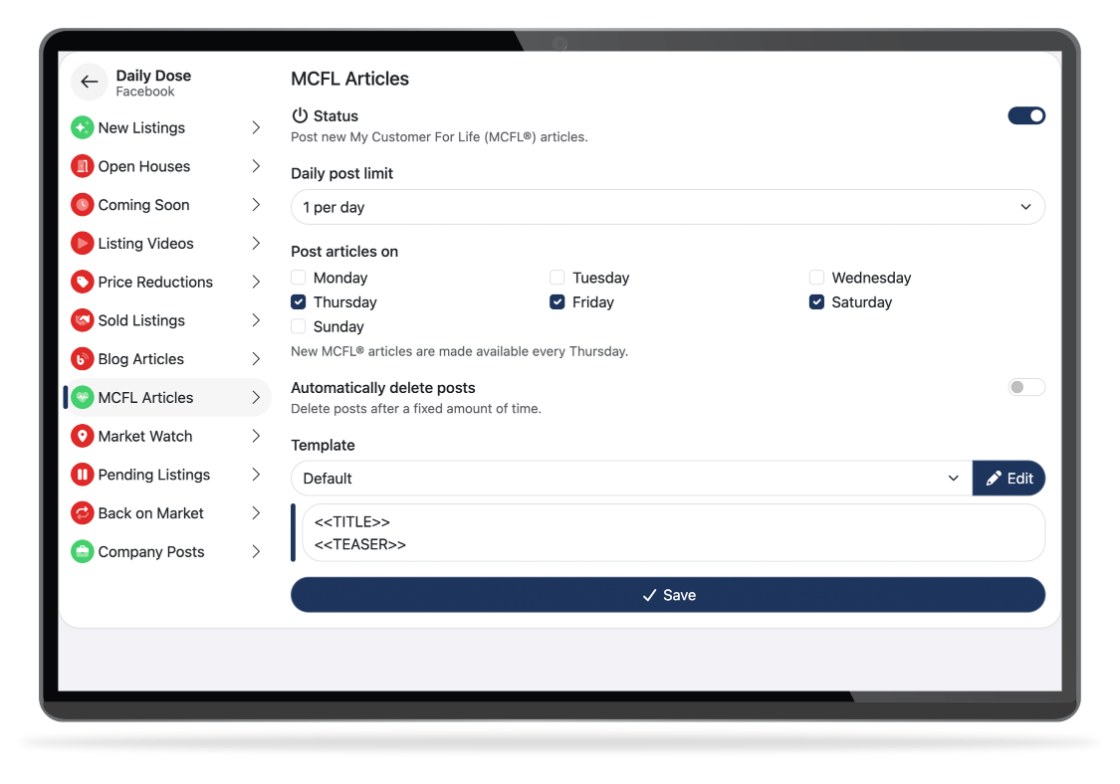
Social Connector connects your social accounts to DeltaNET and automates the posting process from end to end. New listings, open house announcements, market updates, blog content — Social Connector turns them into polished, share-ready posts and publishes them across your channels without manual work.
Publishes to Facebook, Instagram, LinkedIn, and X (formerly Twitter) — automatically.
Plan everything in one session instead of posting throughout the day.
Listing data, photos, and blog content flow in directly — no copy-paste, no duplicate entry.
Add your voice when you want, or let automation handle it.
Individual agents, teams, or brokerage-wide — all from a single dashboard.
See what generates engagement via your DeltaNET dashboard and refine over time.
Social Connector is fantastic. It really allows agents to set it and forget it. They can initiate a plan and a program, and only have to check back in every quarter or every six months, and make sure that it's still delivering the kind of content that they're looking for.

Most social media tools are built for general use and retrofitted for real estate. Social Connector is built the other way around — it's part of DeltaNET, which means it connects to your actual listings, your actual CRM, and your actual marketing ecosystem.
The moment a listing is in DeltaNET, Social Connector can pull the photos, details, and link and build a post around it. No re-entering data. No uploading images again. The listing is there — Social Connector does the rest.
Set up your content cadence once and Social Connector keeps it running. Your audience keeps seeing your name, your listings, and your expertise — even during your busiest weeks. Familiarity builds over time, and familiarity builds the trust that turns contacts into clients.
Full automation or more hands-on — Social Connector works either way. Customize captions, adjust hashtags, preview before publishing, or let the system run quietly in the background. The level of involvement is yours to set.
Individual agents use Social Connector to build and maintain a personal brand without adding extra hours. Teams use it to keep everyone active and consistent. Brokerages use it to maintain a cohesive brand presence across all their agents at once.
Social media shouldn't feel like a second job. Social Connector gives you the system to stay consistent, stay visible, and keep growing — without adding more to your plate. See it in action — request a free demo.