Posts made by author ' Mike Minard'
Subscribe and receive email notifications of new blog posts.
 RSS Feed
- 2026 | 71 Posts
- 2025 | 96 Posts
- 2024 | 114 Posts
- 2023 | 143 Posts
- 2022 | 188 Posts
- 2021 | 204 Posts
- 2020 | 190 Posts
- 2019 | 118 Posts
- 2018 | 122 Posts
- 2017 | 164 Posts
- 2016 | 95 Posts
- 2015 | 68 Posts
25
Event Registration System Update
Another new feature has been added to the DeltaNet Calendar System for Event Registration. This update provides the ability to setup event registration in such a way, on a per event basis, that the sales associate needs to register for an event through their office administrator. Typically this office administrator would be the office manager.
24
New Feature Added to Quality Assurance System
One of the most effective systems we have that help with closing more deals is our Quality Assurance System. That system automates the follow-up, from the company level, with all processed leads on the platform.
24
Tech Tuesday Videos Embedded in the DeltaNet
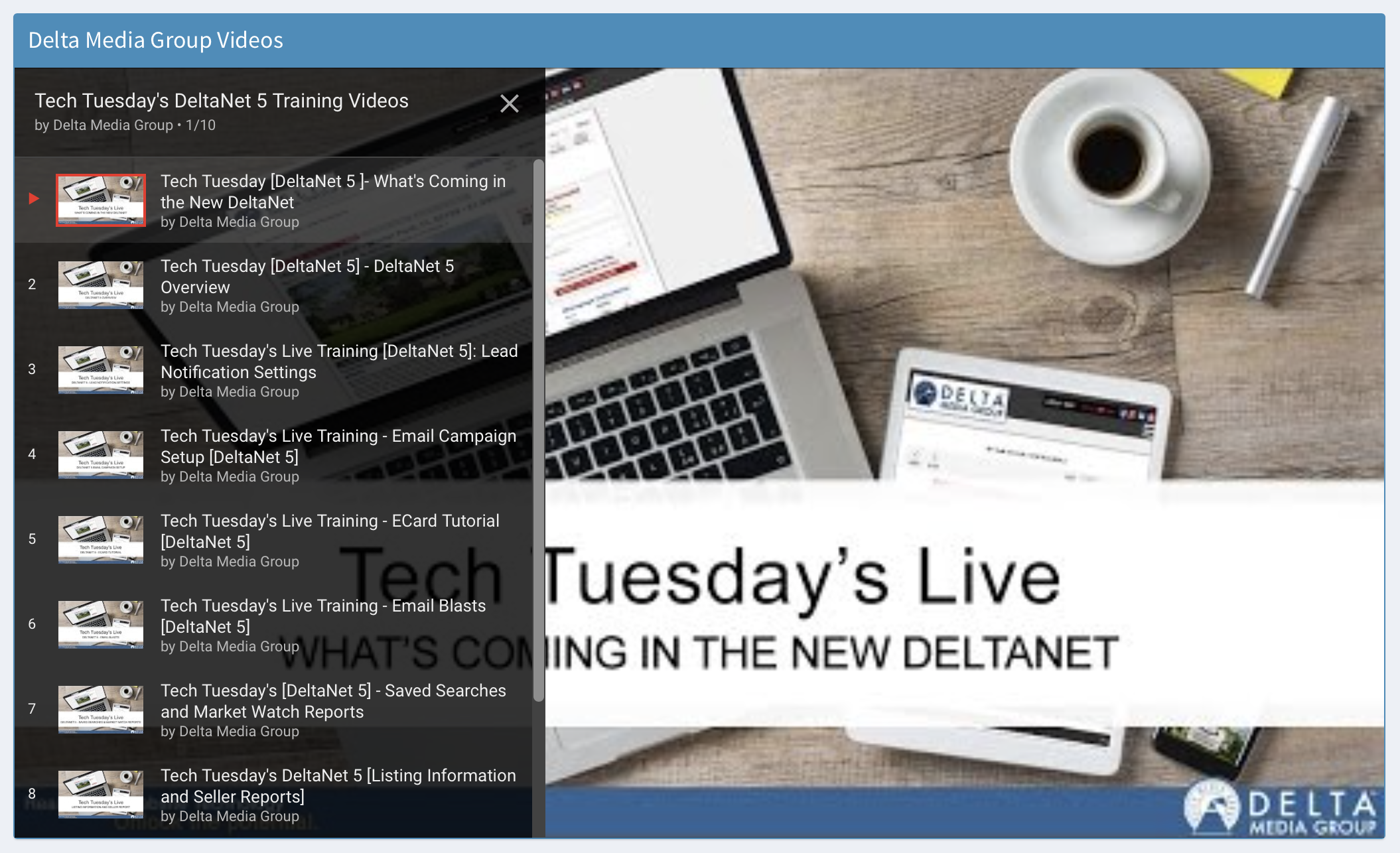
This week we made a change to the DeltaNet by embedding our Tech Tuesdays Training Videos directly into the DeltaNet so your Sales Associates have quick, easy access to them. The video playlist is located on a widget on the welcome screen (see the screen shot below).
On a weekly basis the video play list will update weekly automatically as we publish new training videos.
24
Registration Support Added to Event Calendar
This week we published an update to the Event Calendar in the DeltaNet that provides support for event registration. We are finding that many companies want to require registration for their events. By doing so they can optionally limit the number of attendees while at the same time provide a list of registered attendees.
Below are screen shots of this update...
24
Agent Opt-Out of Broadcast Leads
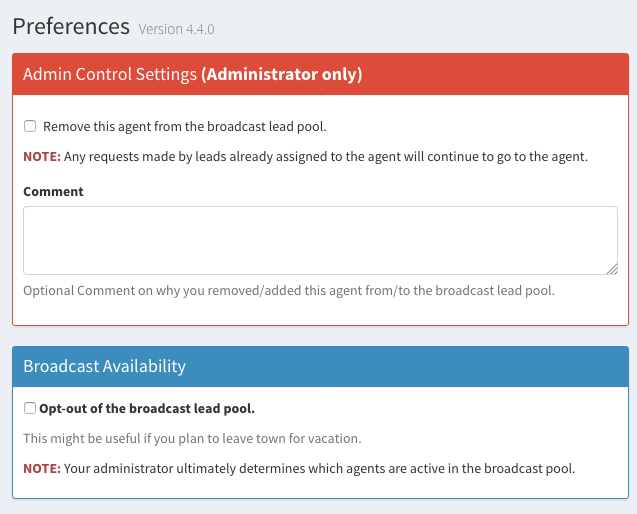
This week we added a feature to the DeltaNet which gives sales associates the ability to opt-out of broadcast leads.
Sometimes sales associates want to temporarily opt-out of these types of leads and this new setting gives them the ability to do so.
This setting is located in the Lead Settings section of the DeltaNet.