
Delta Media Group's Blog
 RSS Feed
Subscribe and receive email notifications of new blog posts.
RSS Feed
- 2026 | 82 Posts
- 2025 | 96 Posts
- 2024 | 114 Posts
- 2023 | 143 Posts
- 2022 | 188 Posts
- 2021 | 204 Posts
- 2020 | 190 Posts
- 2019 | 118 Posts
- 2018 | 122 Posts
- 2017 | 164 Posts
- 2016 | 95 Posts
- 2015 | 68 Posts
Automation | 30 Posts
AVM | 6 Posts
Blogging | 11 Posts
Branding | 23 Posts
Client Interview | 2 Posts
Conference and Expos | 10 Posts
Content Marketing | 20 Posts
Conversion Rate | 1 Posts
Coronavirus | 5 Posts
CRM | 26 Posts
Customer Testimonials | 11 Posts
Delta Media Group | 65 Posts
Delta Services | 2 Posts
Delta Tech Talk | 2 Posts
DeltaNet | 31 Posts
DeltaNet 5 | 8 Posts
DeltaNET 6 | 14 Posts
Education | 1 Posts
Email Marketing | 24 Posts
Employee Spotlight | 14 Posts
Facebook Advertising | 7 Posts
Facebook Connector | 1 Posts
Fusion | 1 Posts
Google | 1 Posts
Google Analytics | 2 Posts
Holiday | 5 Posts
Industry Thoughts | 37 Posts
Lead Generation | 45 Posts
Leading RE Clients | 1 Posts
Link Building | 1 Posts
Local SEO | 8 Posts
Marketing | 14 Posts
Mobile First Web Design | 4 Posts
Mobile Responsive Websites | 7 Posts
New Feature Releases | 4 Posts
New Site Announcement | 38 Posts
News | 5 Posts
Online Marketing | 24 Posts
Open House Connector | 7 Posts
Pipeline Manager | 2 Posts
PPC | 6 Posts
Press Release | 1 Posts
Press Releases | 4 Posts
Properties in Motion | 4 Posts
Real Estate Agents | 31 Posts
Real Estate Automation | 4 Posts
Real Estate Marketing | 76 Posts
Real Estate Marketing & Tech Magazine | 269 Posts
Real Estate Tech Training | 6 Posts
Real Estate Technology | 91 Posts
Real Estate Web Design | 5 Posts
Real Estate Websites | 17 Posts
Recruit and Retain Agents | 12 Posts
Reputation Management | 1 Posts
RESO | 2 Posts
SEO | 40 Posts
SEO Platform Feature Release | 15 Posts
SMS Texting | 7 Posts
Social Media Marketing | 62 Posts
System Update | 41 Posts
Tech Tuesday | 287 Posts
Training, Tools & Tactics | 5 Posts
Unlocking YOUR Potential | 16 Posts
Video Demos | 1 Posts
Video Marketing | 12 Posts
Virtual Open Houses & Showings | 6 Posts
Web Design | 4 Posts
Webinar | 22 Posts
Website Design | 15 Posts
Website Security | 2 Posts
January
9
9
Delta Media Group December 2017 Website Technology Updates

Enhanced Features for December 2017
Delta Media Group realizes one of the biggest challenges REALTORS® and sales associates have is keeping up with the latest in real estate technology. That's why we've created this diary of updates and releases we set live in December, 2017 to help you run your business. 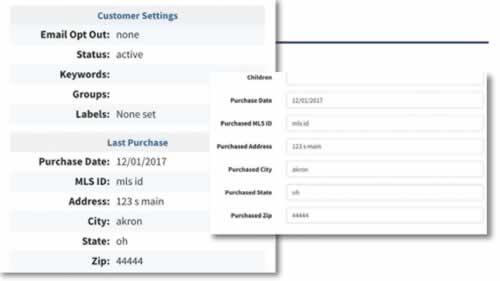 Dec. 1 - Agents can now add a purchase date and the address of the purchase to their customer's profile.
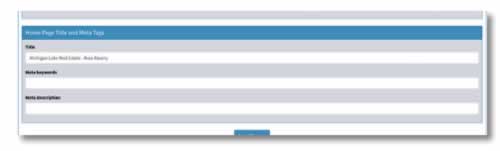 Dec. 1 - The title and meta keywords and description can now be altered for agents on the modular platform. It's located at the very bottom of Modular Site Design tab.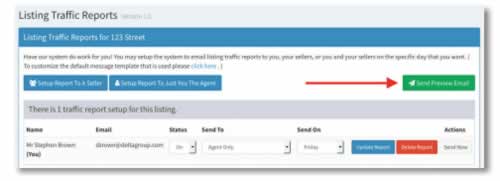
Dec. 5 - We have added the ability in the "Seller Report" for an agent to send a preview email. An agent can preview the email before the email is sent to the seller on a seller report.
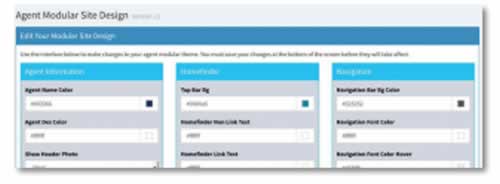
Dec. 6 - The "Agent Modular Theme Editor" is now live. This new editor will give agents the ability to change their modular site design. The link to the editor can be found under the "Website" menu item for agents that are on the platform.
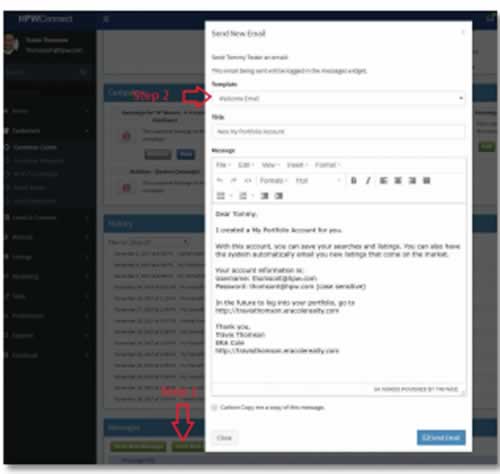 Dec. 6 - A new feature has gone live in the"Customer Center" of DeltaNet. Previously an agent only had a blank message box to send an email to a customer. Now a template drop down is there to pre-fill in the message box with that system message. An agent can either just select a template and send, or they can tweak the message and then send. Template choices are: Blank, Welcome Email, Portfolio Email, Showing, and VMA.
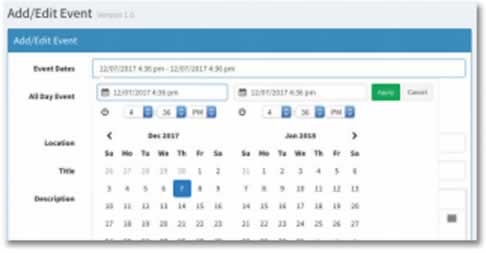 Dec. 7 - The "Events" system in the DeltaNet has been updated. We updated the date field to no longer be a single date, but a date range with times. You will see a date range picker when creating an event. The all day checkbox on the form will hide all times on the display side. We have added a location field that will use the google places auto-completer.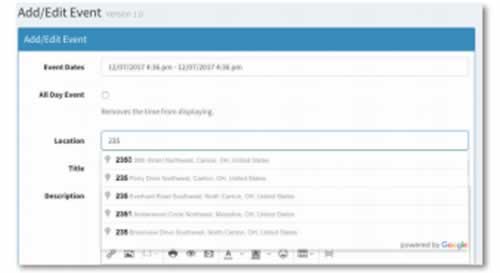
Dec. 7 - We fixed bugs in the "iCal" system. Such as, all day events not showing as all day events, and showing times when they shouldn't be.
Dec. 7 - We added location to the "iCal" system for events.
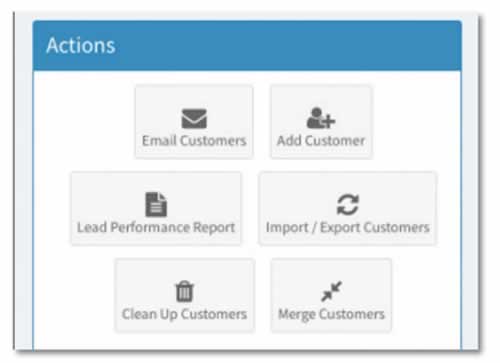
Dec. 12 - We added a merge contacts tool in the customer center on the agent side of the Deltanet. You can access it via the widget in the customer center main page.
Dec. 20 - eCards and Flyers now have the ability to choose which version of their company logo to place on their eCard or flyer.
Dec. 20 - You now have the ability to change the shape of your Agent Photo on the eCards and Flyers.
Dec. 22 - There is now a Market Watch report showing the number of market watches setup for customers under each agent. The report is located under Admin -> Reports -> Market Watch Report. The report is also broken down by the interval for the market watches like daily, weekly, etc.
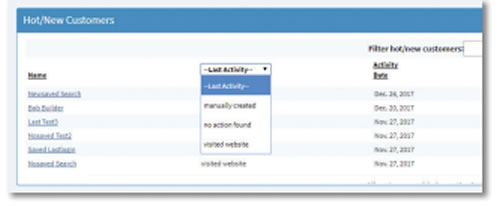
Dec. 26 - A new way to filter Hot/New Customers has gone live that allows the user to filter by activity. By default the list will show all customers that were not "manually created" Selecting 1 of the available activities will then filter the list accordingly.
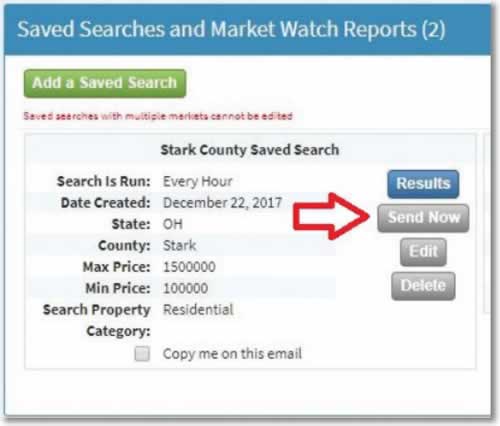
Dec. 27 - The ability to manually send a saved search email has just launched.
Because the existing automatic functionality looks for new listings matching the criteria since the search was last run, a manual sending will widen that time frame by looking backwards to include possible listings that were already sent. This gives the agent the power to easily resend listings that may have been missed by their customer.
We try to intelligently select how far back to look based on how often the customer is receiving the automatic emails. If they get the email weekly, we will look back 2 weeks. Bi-weekly we look back 4 weeks. Monthly we look back 2 months. A default of looking back 7 days is in place as a catchall for unanticipated time frames.
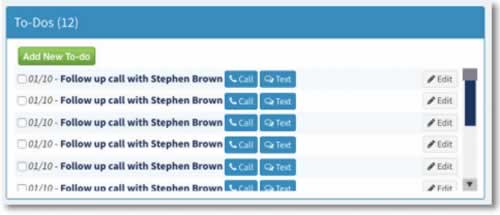
Dec. 27 We have added "call and text buttons" to the To-Dos section that have a public user attached to them. We also updated the look of the To-Dos section. We changed the buttons to bootstrap buttons.
Dec. 29 A new option has just launched on the agent's sold listings pages that allows them to toggle the display of MLS comments on their recently sold listings.
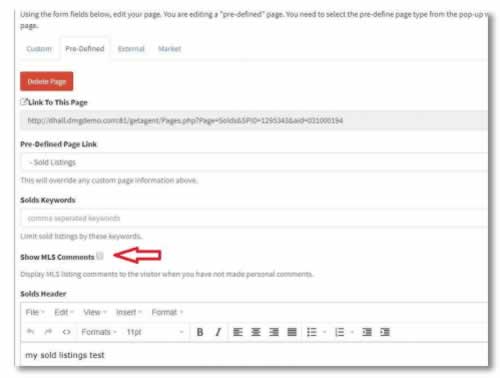 If this box is checked, and the agent has not provided comments, the MLS comments will be shown in the listing.
If the box is checked, and the agent has provided comments, those custom comments will be shown.
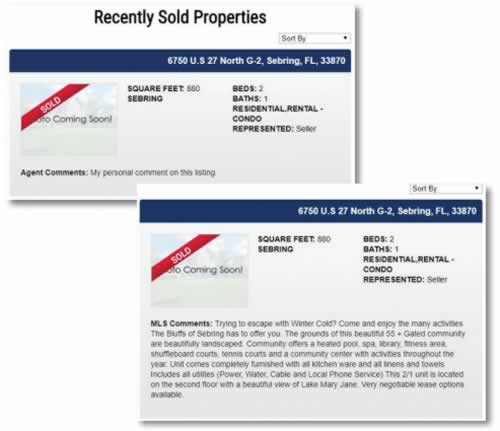
If the box is not checked, and the agent has not provided comments, MLS comments will not display.
If the box is not checked, and the agent has provided comments, those custom comments will still be shown.
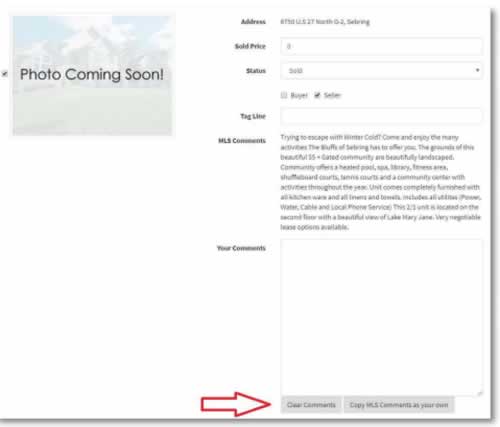 Dec. 29 - The comments box was pre-populated with MLS comments, and on save, that value was stored as the agent's comments. This has been changed so the MLS comments are shown as a read only block above a box that the agent can type in. If they wish to copy the MLS comments into the box, they can click "Copy MLS Comments as your own" button. Also, they can easily clear this box by clicking "Clear Comments"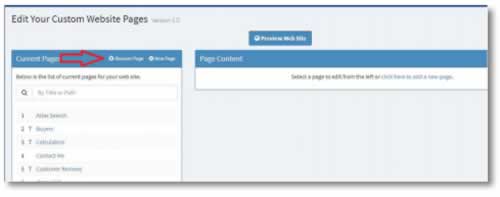
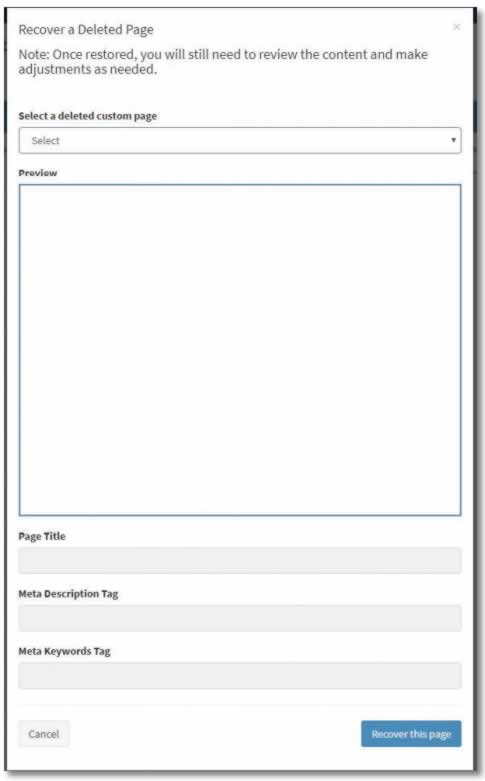
Dec. 29 - Agents now have the ability to recover custom page content that was previously deleted. Clicking on "Recover Page" will introduce a modal that will contain the title & date removed of every deleted custom page for that agent. If a title was not entered for that page it will show "Custom Page" and date of deletion. Selecting an option will bring up the preview of that content for review. Clicking "Recover this page" will create a new page populated with this content. Because we are dealing with deleted data, there may be a few empty fields in the new page so agents will need to review and make final tweaks to it if necessary. This will be easier than searching www.archive.org, or Google's cache for the page and trying to manually reconstruct deleted content.