
Posts in category 'System Update'
Subscribe and receive email notifications of new blog posts.
 RSS Feed
- 2026 | 83 Posts
- 2025 | 96 Posts
- 2024 | 114 Posts
- 2023 | 143 Posts
- 2022 | 188 Posts
- 2021 | 204 Posts
- 2020 | 190 Posts
- 2019 | 118 Posts
- 2018 | 122 Posts
- 2017 | 164 Posts
- 2016 | 95 Posts
- 2015 | 68 Posts
14
DeltaNet 5 Rebranding
Many of our clients create their own branding with their intranet platform, which is generally our DeltaNet. We've added a feature within the DeltaNet that provides the ability for our clients to re-brand the DeltaNet to match their internal branding. While this update is a small update, for some clients that is an important change.
8
New System Notices System for DeltaNet 5 Launched Today
In an effort to increase the effectiveness of our communication with our clients, especially our Administrators, we've launched a new System Notices System within DeltaNet 5. The new system will place these notices towards the top of the screen as seen in the screen shots below.
7
DeltaNet 5 Customers Interface Updates
We're continuing to make interface upgrades to the new DeltaNet based on feedback. Today we pushed a change live that streamlines how your sales associates are able to add users to groups. With the interface update it's easier for your sales associates to find users and add them to their groups. This is a slight user interface upgrade but one that was widely requested.
Here are a couple screen shots showing the new interface...
6
Events Calendar Management Access Update
We've made a slight change to the DeltaNet 5 for non-administrative users that manage your company calendar and events. With this change a user can be setup with specific access to administer the calendar and events system. A good example of how this would be used is a non-administrator in your company, such as a trainer, that you want to setup with access to edit the training calendar. This update provides the ability to do this level of control for events.
Here is a screen shot of the change within the DeltaNet:
6
Multiple Featured Listings on Sales Associate Websites Feature Update
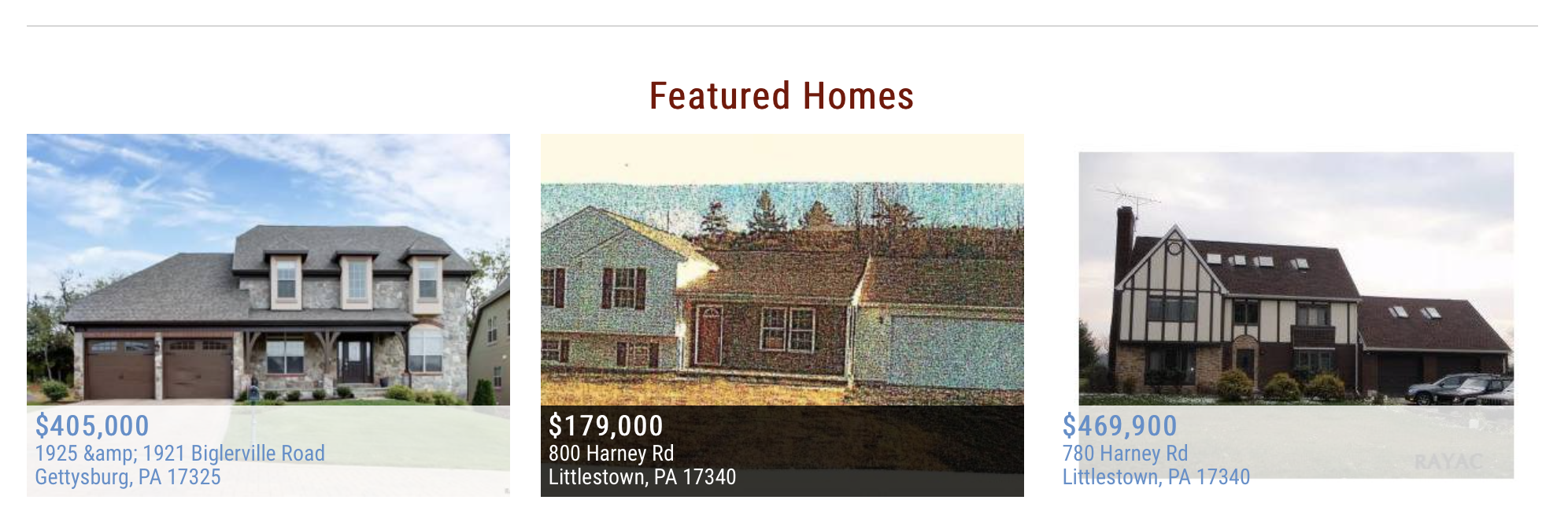
What do you do when a sales associate's web site needs three featured properties but they only have one property listed at the time?