
Subscribe and receive email notifications of new blog posts.
 RSS Feed
- 2026 | 68 Posts
- 2025 | 96 Posts
- 2024 | 114 Posts
- 2023 | 143 Posts
- 2022 | 188 Posts
- 2021 | 204 Posts
- 2020 | 190 Posts
- 2019 | 118 Posts
- 2018 | 122 Posts
- 2017 | 164 Posts
- 2016 | 95 Posts
- 2015 | 68 Posts
1
May 2015 SEO Platform Feature Release
 I like to think of real estate firm web sites in simple terms.
At the highest level your real estate web presence is about three primary objectives. Giving the public access to what they want; Helping your firm engage in online business; Helping you run your business more efficiently and profitably.
At the core of Delta's SEO Platform, and our focus, is to continually evolve so your Delta Powered system provides your local market what they want, thus helping your firm better engage in online business especially through search engine optimization efforts. (Helping you run your business more efficiently and profitably is at the core of Delta!)
In the past few months we adjusted our development efforts to focus on giving the public more access to what they want at no additional costs to you. This month there are three updates to your property detail pages launching Monday. I am also giving you the "inside scoop" and letting you know we have been working on next month's updates for quite a while so watch for big news in next month!
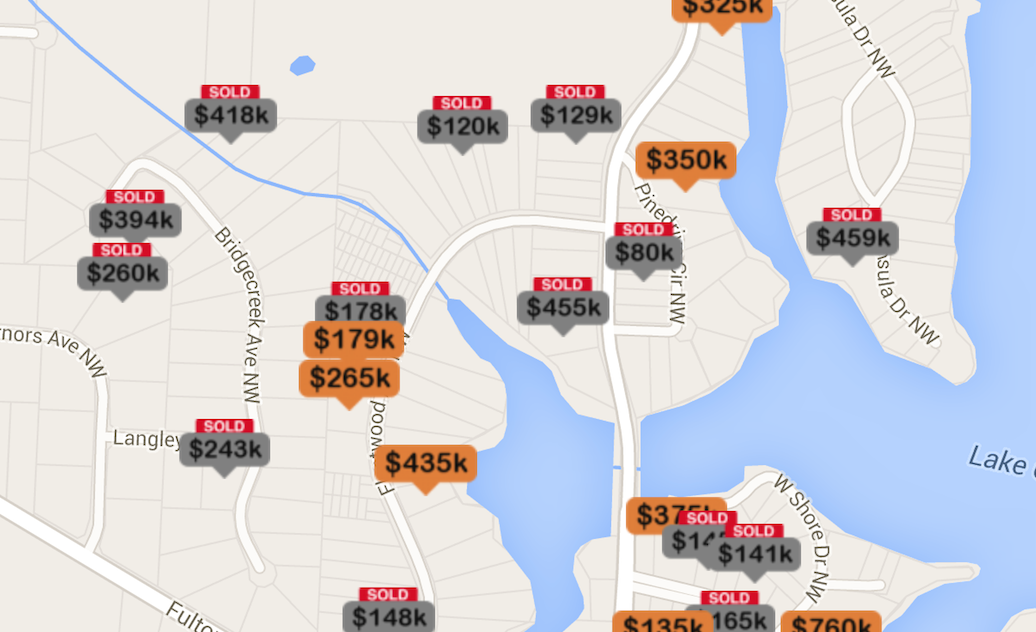
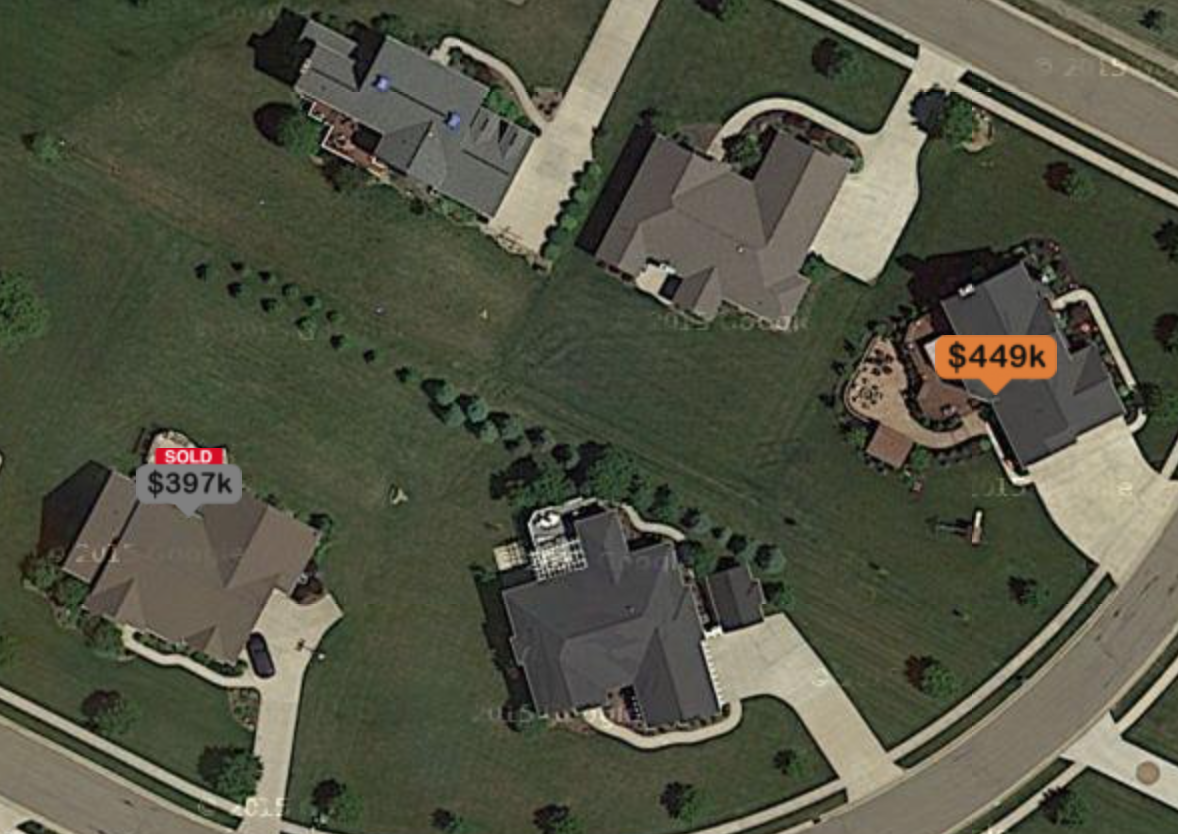
Watch for more information for this next feature launch next month. For now here are some teaser graphics from our development team on some things you can expect in next month's announcement:
The first new feature being released Monday is the addition of three new sets of market trending graphs to the graphs we launched on your web site last month. On Monday we are adding market trending graphs for city, zip code, and school district levels. The addition of these market trending graphs will provide more insight into the trending data that is most relevant to your customers. Each set of graphs are visually the same, only the data changes.
On Monday the Market Trending Graphs will look like the image below:
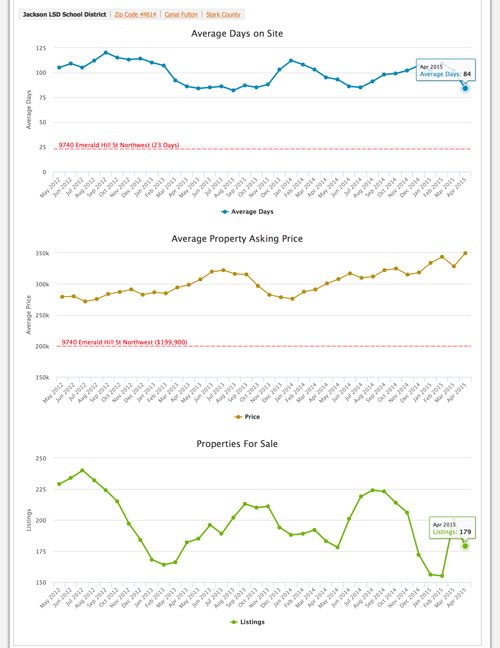
Take notice that the screen capture above defaults to "Jackson LSD School District" and then also has the options of "Zip Code 44614", "Canal Fulton" and finally "Stark County". These options are automatically selected using location data from the property being viewed. It is important to take note that in some cases the School District option is not shown if the property data has the School District field omitted or empty. To view the Market Trending Graphs for each of the other area types all the user needs to do is click on them.
The second new feature is the addition of plotting current listing metrics for the property being viewed on two of the market trending graphs, the Average Days on Site and Average Property Asking Price. This is an important visual element to these graphs adding an additional level of user interaction and "deepness" to the data integration on your web site. Each property detail page contains its own custom graphs specific for that one property.
The third new feature will go unnoticed unless you are a marketing professional: The integration of Google Analytics Event Tracking to the Market Trends, Demographics, and Schools Tabs. The reason we added this tracking is to provide insight into what web site visitors are clicking, providing us, and you, understanding of what information visitors value. This feature was launched on Friday, April 17th so your Google Analytics Account already contains this data.
The image below shows how this data looks within Google Analytics. Your specific report will look very similar to this but will contain data and metrics for your web site. Keep in mind that when viewing this event tracking data that the Market Trending Graphs are pre-selected and active on the property detail page. Therefore, any event tracking for "Market Trends" would be representative of a visitor that clicked on either "Schools" or "Demographics" and then clicked back to "Market Trends." In other words, the initial view of "Market Trends" is not tracked since it is already active.
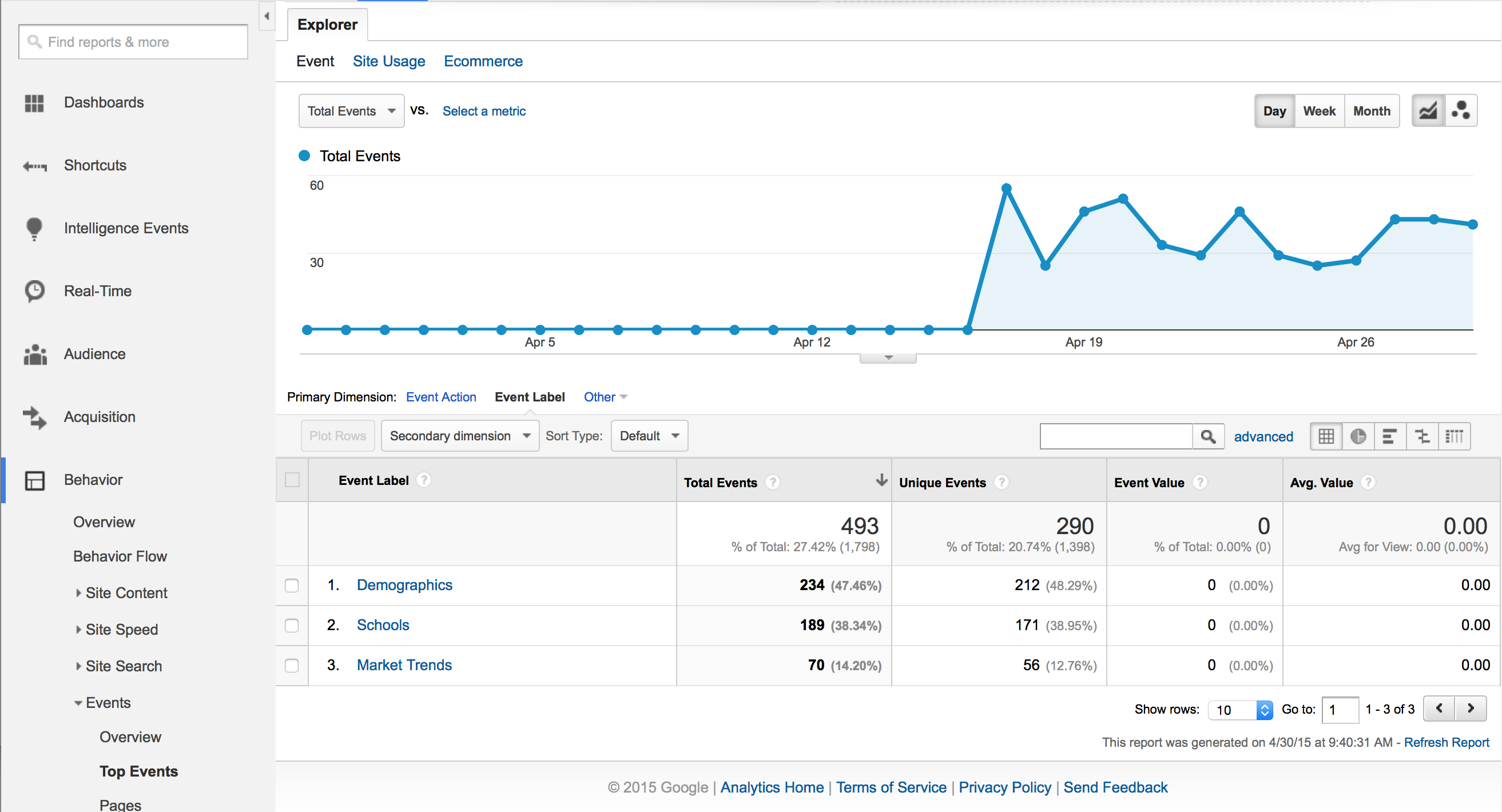
In order to view this report within Google Analytics log into your Google Analytics Account, Click on the "Behavior" left navigation link, then click the "Events" left navigation link under the "Behavior" section and then finally click "Top Events." From here you can filter your report as you wish. The "Event Category" for these clicks is "Tabs" and the "Event Label" is currently "Market Trends", "Schools", or "Demographics."